A one hour tour of wradlib
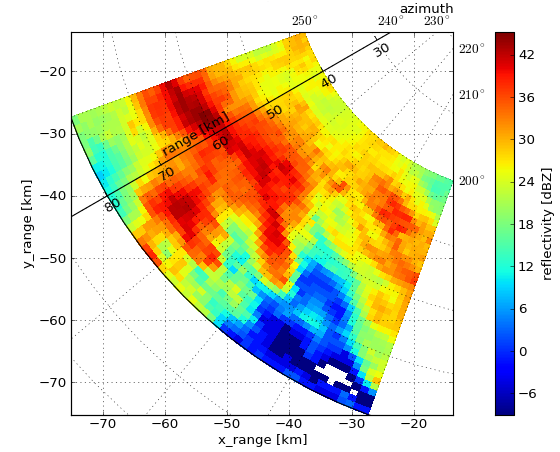
caption
This notebook provides a guided tour of some \(\omega radlib\) notebooks.
(find all wradlib notebooks in the `docs <http://docs.wradlib.org/en/latest/notebooks.html>`__.)
Some background, first
Development started in 2011…or more precisely:
October 26th, 2011
Key motivation
A community platform for collaborative development of algorithms
Development team
Core team (in aphabetical order)
- Maik Heistermann (University of Potsdam)
- Kai Muehlbauer (University of Bonn)
- Thomas Pfaff (retired from radar science)
Contributions from
- Irene Crisologo (University of Potsdam, Germany)
- Edouard Goudenhooft (RMI, Belgium)
- Stephan Jacobi (University of Potsdam, Germany)
- Jonathan J. Helmus (Argonne National Laboratory, USA)
- Scott Sinclair (University of Kwazulu-Natal, South Africa)
- …
Your entry points
Just start out from wradlib.org
Documentation
Check out the online docs with tutorials and examples and a comprehensive library reference
User group
Get help and connect more than 120 users at the wradlib user group!
For developers
Fork us from https://github.com/wradlib/wradlib or raise an issue!
Installation
The are many ways to install wradlib, but this is our recommendation:
2. Create a fresh environment and add conda-forge channel
$ conda create --name wradlibenv python=2.7
$ conda config --add channels conda-forge
3. Activate environment and install wradlib
$ activate wradlibenv
$ (wradlibenv) conda install wradlib
4. Make sure GDAL_DATA is set
The environment variable GDAL_DATA should point to
.../anaconda/envs/wradlibenv/share/gdal
Download the sample data
Development paradigm
Keep the magic to a minimum
- transparent
- flexible
- but also lower level
Flat (or no) data model
- pass data as numpy arrays,
- and pass metadata as dictionaries.
Import wradlib
In [1]:
import wradlib
/home/travis/miniconda/envs/wradlib/lib/python3.6/site-packages/h5py/__init__.py:36: FutureWarning: Conversion of the second argument of issubdtype from `float` to `np.floating` is deprecated. In future, it will be treated as `np.float64 == np.dtype(float).type`.
  from ._conv import register_converters as _register_converters
In [2]:
# check installed version
print(wradlib.__version__)
1.0.0
In the next cell, type wradlib. and hit Tab.
Inpect the available modules and functions.
Reading and viewing data
Read and quick-view
Zoo of file formats
This notebook shows you how to access various file formats.
Addressing errors
Attenuation
In this example, we reconstruct path-integrated attenuation from single-pol data of the German Weather Service.
Clutter detection
wradlib provides several methods for clutter detection. Here, we look at an example that uses dual-pol moments and a simple fuzzy classification.
Partial beam blockage
In this example, wradlib attempts to quantify terrain-induced beam blockage from a DEM.
Integration with other geodata
Average precipitation over your river catchment
In this example, we compute zonal statistics over polygons imported in a shapefile.
Over and underlay of other geodata
Often, you need to present your radar data in context with other geodata (DEM, rivers, gauges, catchments, …).
Merging with other sensors
Adjusting radar-based rainfall estimates by rain gauges
In this example, we use synthetic radar and rain gauge observations and confront them with different adjustment techniques.